
To connect to the Waterside VPN you must have the correct permissions to do so, if you require the permissions please see your HOD who will request these from the Group Facilities Director. If you were able to use VPN before the update then your permissions will still be valid.
To install the VPN client, browse to the C: drive on your computer, to do this click the folder icon on the task bar at the bottom of your screen.

One in the window find your C: drive on the left hand side.

In the C: drive you will see an application called wsidevpn – double click to run this file.
Note: if you don’t see this file then please log a ticket with Key Solutions or see Chris Hayes.

You will see a message as below – click yes.

On the next message do not change anything and click OK.
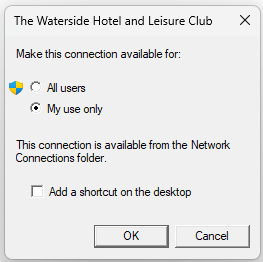
Once this is completed the Network connection window will pop up with a new connection listed.
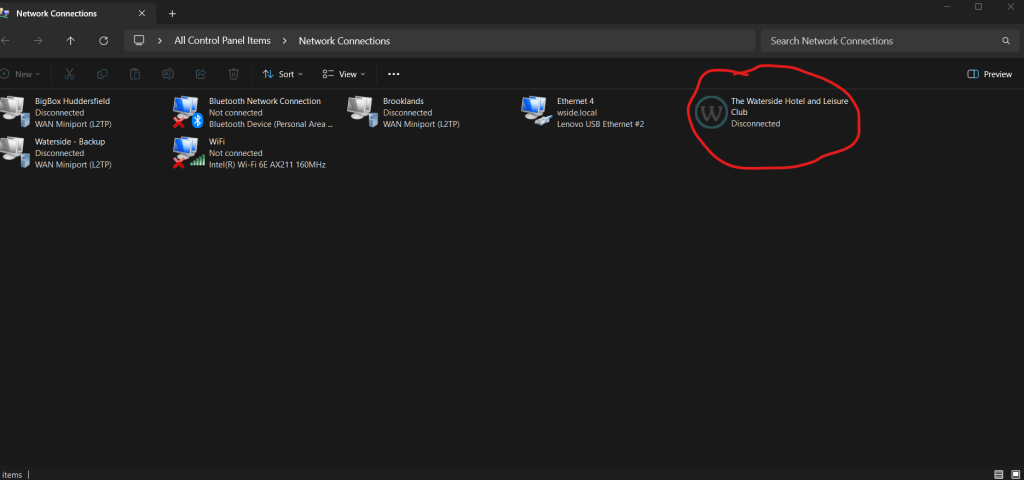
Your connection may differ from the above, once you see this connection you can close this window and then see the document ‘Connecting to the Waterside via VPN’.


