2
The following guide will show you how to add a prospect onto Xplor.
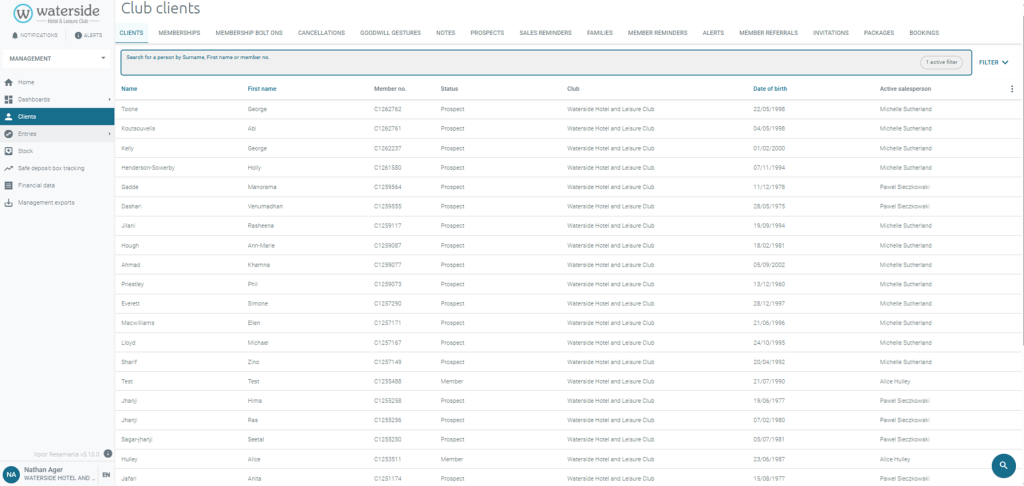
Step One – Click clients on the left hand side menu.
Step Two – Click the magnifying glass in the bottom right of the screen.